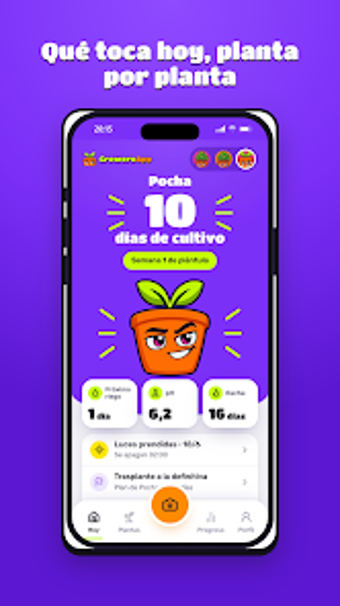
GroweroApp puts AI diagnostics and a cultivation diary in your pocket
Photo-based AI diagnostics meet a date-stamped cultivation diary for home growers: take a photo to get an immediate pest or disease diagnosis, log daily water and nutrient entries, and track environmental readings. GroweroApp, from GroweroApp the developer, targets indoor gardeners and autocultivo hobbyists who need structured care routines and quick problem identification. Key elements include Growero IA camera diagnosis, automated care reminders, and a visual plant gallery that ties photos to temperature and humidity logs.
How it handles daily plant problems
Growero answers quick questions you ask while tending plants: use the camera to run Growero IA and receive an immediate diagnosis of pests, diseases, or nutrient signs, plus actionable advice. The app pairs that diagnostic step with a photo gallery so each image is attached to a dated diary entry, which records waterings, dosages, and light cycles for follow-up checks.
What it connects with and how setup works
The app runs on Android and also offers a web client, so you can switch between mobile care and desktop review. Cloud synchronization moves diary entries and photos between the Android app and the web platform. Device setup requires a camera and optional sensors for temperature and humidity logging; entries for those environmental readings sit alongside manual logs.
How accessible and approachable it feels for new growers
Onboarding emphasizes step-by-step reminders and scheduled alerts for watering and fertilizing, which helps new growers keep a routine. The diary structure separates plants and growth cycles, letting beginners track multiple specimens without merging records. Accessibility details such as simplified navigation or screen reader support are not specified, but reminder-driven workflows reduce the need for constant manual checking.
How reliable its daily guidance and data handling are
The AI diagnostic operates in real time through the camera, offering immediate identification during a care session. Environmental data are stored in logs tied to each plant entry and synchronized to the web, which indicates some cloud processing for cross-device access. The app's focus on photo-plus-data records supports measured follow-up rather than guesswork.
To sum up, a hands-on aid for growers seeking guided daily care
Growero is a practical tool for weekend gardeners, indoor hobbyists, and anyone practicing autocultivo who wants camera-based diagnostics and a date-stamped cultivation diary. It suits users who value immediate problem ID and structured logging; it may be less suitable for growers who need explicit accessibility feature listings or fully local-only processing. To get the most from it, enable reminders and keep the photo gallery current.